> ## Documentation Index
> Fetch the complete documentation index at: https://docs.invup.me/llms.txt
> Use this file to discover all available pages before exploring further.
# Choose your plan
> What Free covers, what Pro adds, and how seats, add-ons and overages are billed.
Every new organization starts on the **Free** plan and can invoice straight away. This page explains where the ceiling is, so that you meet it deliberately rather than in the middle of a billing run.
Billing is restricted to owners and admins. Prices and current limits are shown in the product, which is the authority. This page describes the shape of the plans rather than their numbers.
## Free
Free is a working plan, not a trial. It includes:
* Creating and sending invoices with your own branding
* Collecting payments through Stripe
* A full history of every invoice, client and payment
The limits are **one team member** and monthly caps on invoices, forms and time entries.
That combination suits a sole practitioner. The team member limit is usually what pushes a growing business onward, because it is reached the moment you want a second person logging their own hours.
## Pro
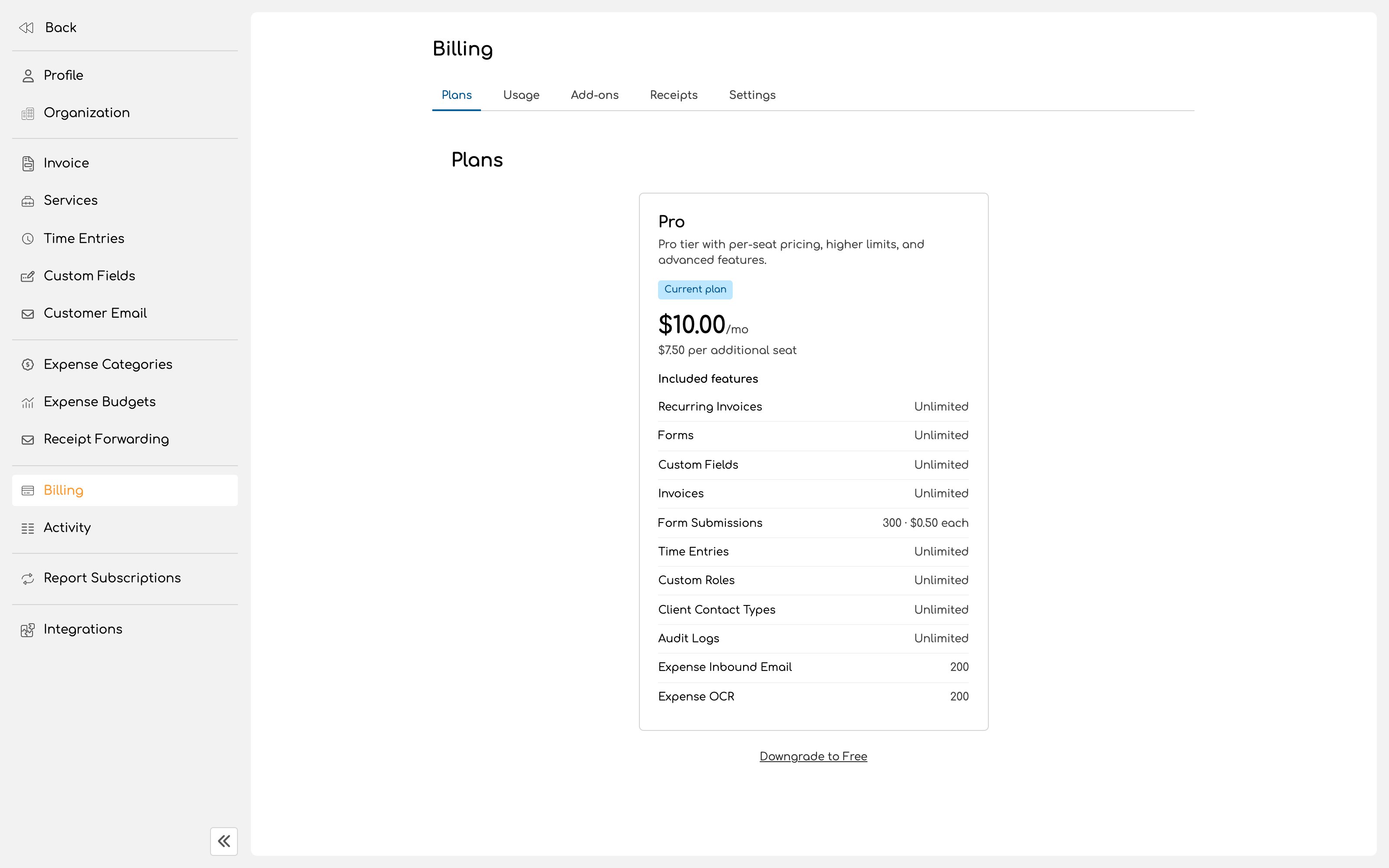
Pro raises the ceilings and unlocks the features a team needs:
* Unlimited team members
* Recurring invoices for retainer and subscription work
* Custom fields
* Custom roles with granular permissions
* Contact types, which control precisely which client contacts receive which emails
* Higher monthly limits
* Access to add-ons
 ## Add-ons
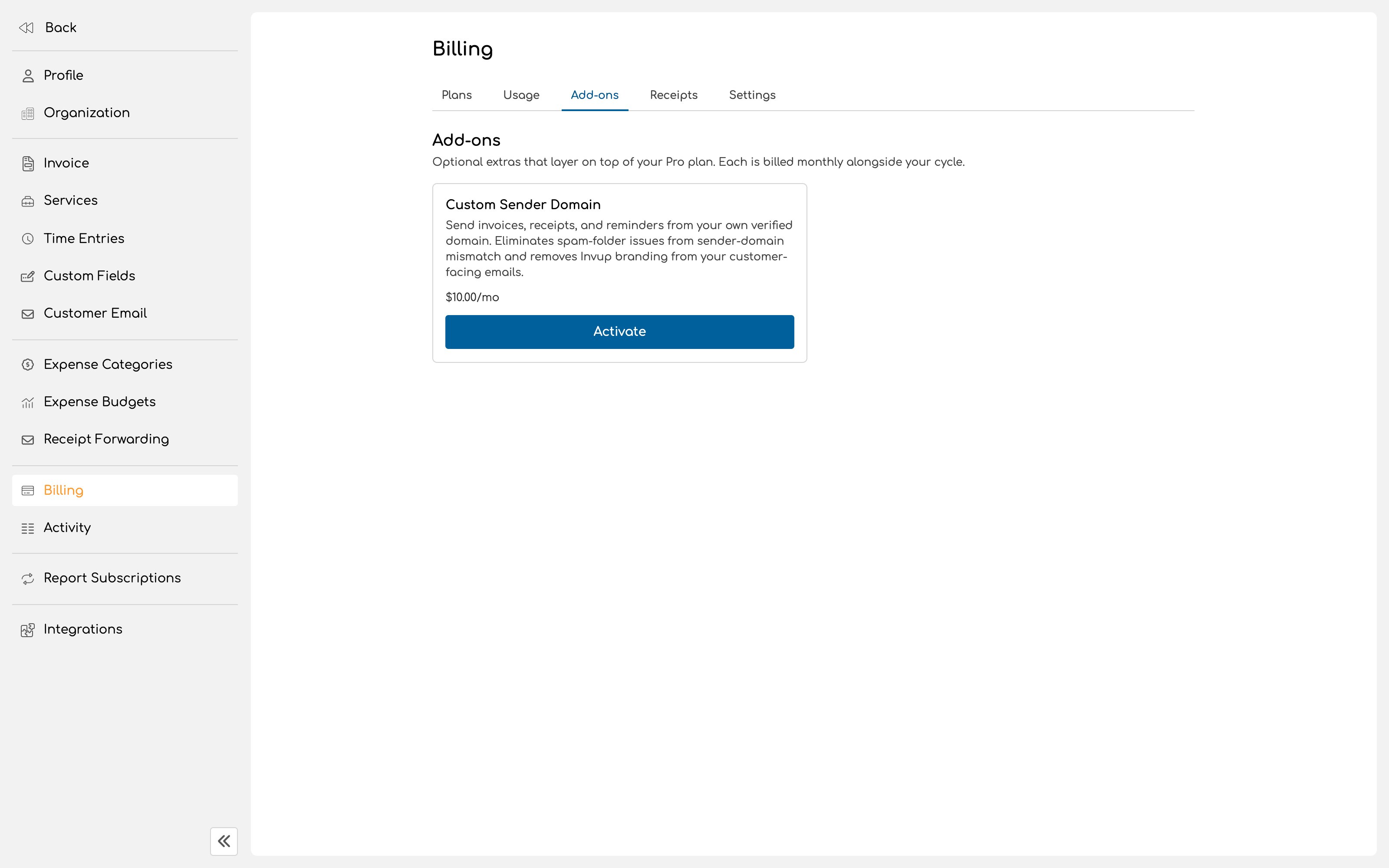
Add-ons are optional extras that layer on top of Pro and are billed monthly alongside your cycle.
Activating one charges a prorated amount immediately for the remainder of the current cycle, then the full amount joins your regular monthly billing.
Deactivating one schedules a cancellation rather than stopping it dead. The add-on stays active until the end of the cycle you have already paid for, with no refund for that period, and is not billed on the next cycle.
## Add-ons
Add-ons are optional extras that layer on top of Pro and are billed monthly alongside your cycle.
Activating one charges a prorated amount immediately for the remainder of the current cycle, then the full amount joins your regular monthly billing.
Deactivating one schedules a cancellation rather than stopping it dead. The add-on stays active until the end of the cycle you have already paid for, with no refund for that period, and is not billed on the next cycle.
 ## Watching your usage
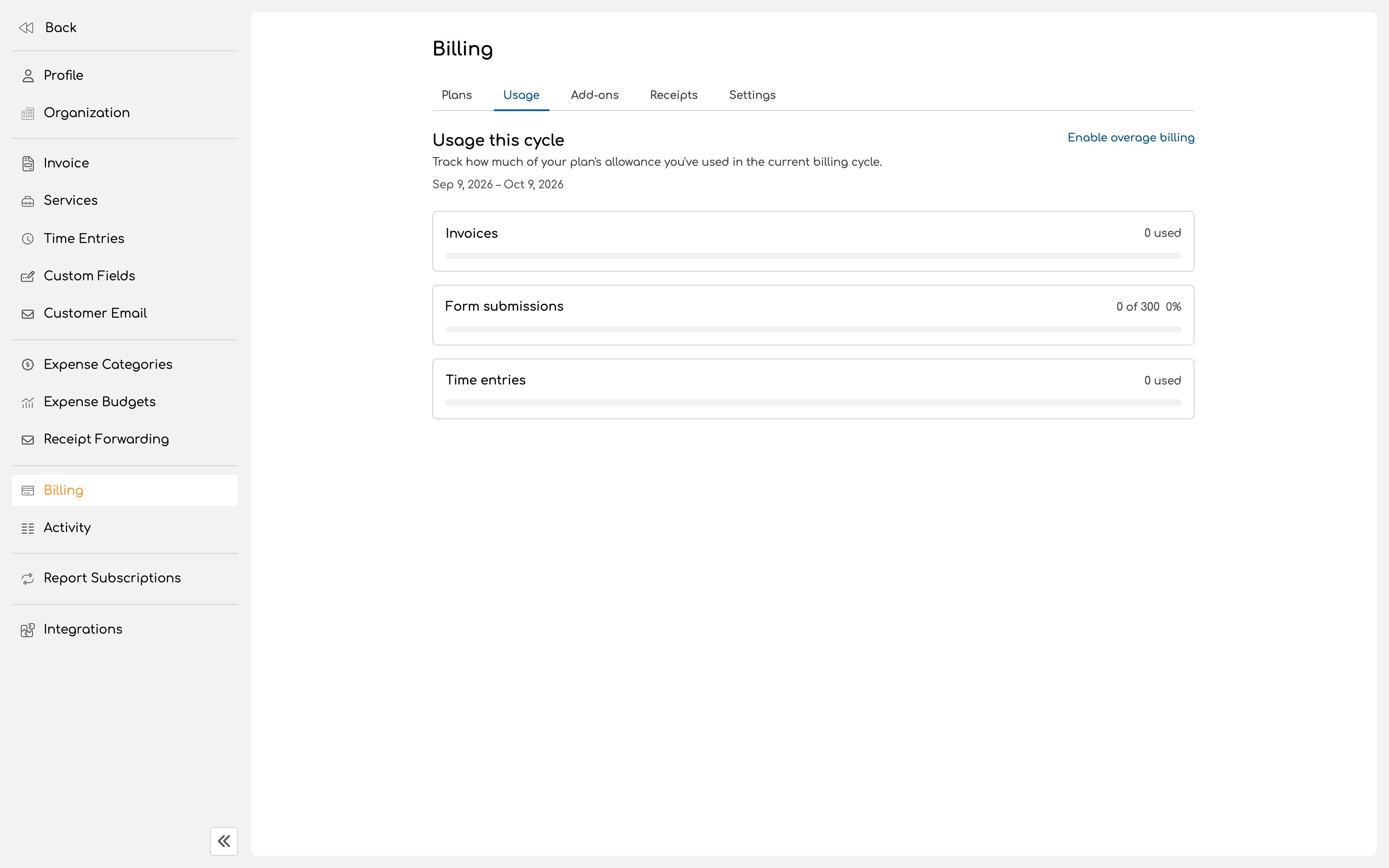
The **Usage** tab shows where you stand against your plan's monthly limits.
Worth checking before a heavy billing month rather than during one. Invoice creation is quota checked, so an organization that has reached its monthly invoice cap is stopped at the point of creating the next invoice.
## Watching your usage
The **Usage** tab shows where you stand against your plan's monthly limits.
Worth checking before a heavy billing month rather than during one. Invoice creation is quota checked, so an organization that has reached its monthly invoice cap is stopped at the point of creating the next invoice.
 ## How your bill is put together
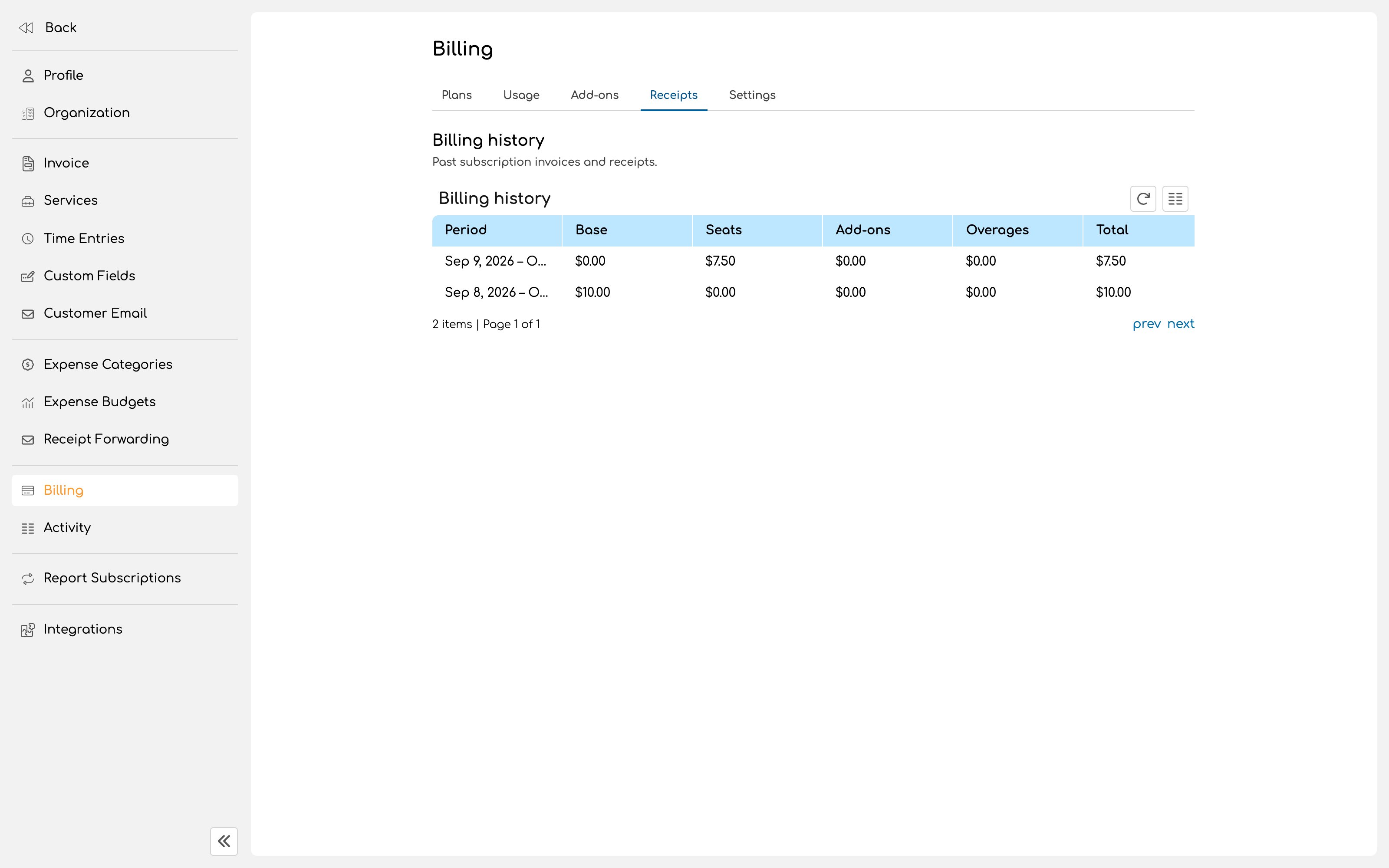
Your subscription invoice breaks down into:
| Component | What it covers |
| ------------ | --------------------------------------------- |
| **Base** | The plan itself for the billing period. |
| **Seats** | Your team members. |
| **Add-ons** | Any optional extras active during the period. |
| **Overages** | Usage beyond your plan's included limits. |
Past subscription invoices and receipts are kept under **Receipts**, with the same breakdown on each, so a finance team can see exactly what changed between one month and the next.
## How your bill is put together
Your subscription invoice breaks down into:
| Component | What it covers |
| ------------ | --------------------------------------------- |
| **Base** | The plan itself for the billing period. |
| **Seats** | Your team members. |
| **Add-ons** | Any optional extras active during the period. |
| **Overages** | Usage beyond your plan's included limits. |
Past subscription invoices and receipts are kept under **Receipts**, with the same breakdown on each, so a finance team can see exactly what changed between one month and the next.
 ## Choosing when to upgrade
Upgrade when one of these is true:
* A second person needs to log their own time
* You bill the same clients on a repeating schedule and want recurring invoices to do it
* You need people in roles that the four built in roles do not describe
* You need particular contacts at a client to receive some emails and not others
Everything else, including the whole invoice, payment and reporting loop, works on Free.
## Next
Add the people who will be logging the work.
Decide what each of them can see and do.
## Choosing when to upgrade
Upgrade when one of these is true:
* A second person needs to log their own time
* You bill the same clients on a repeating schedule and want recurring invoices to do it
* You need people in roles that the four built in roles do not describe
* You need particular contacts at a client to receive some emails and not others
Everything else, including the whole invoice, payment and reporting loop, works on Free.
## Next
Add the people who will be logging the work.
Decide what each of them can see and do.