Invoice settings are restricted to owners and admins.
Numbering
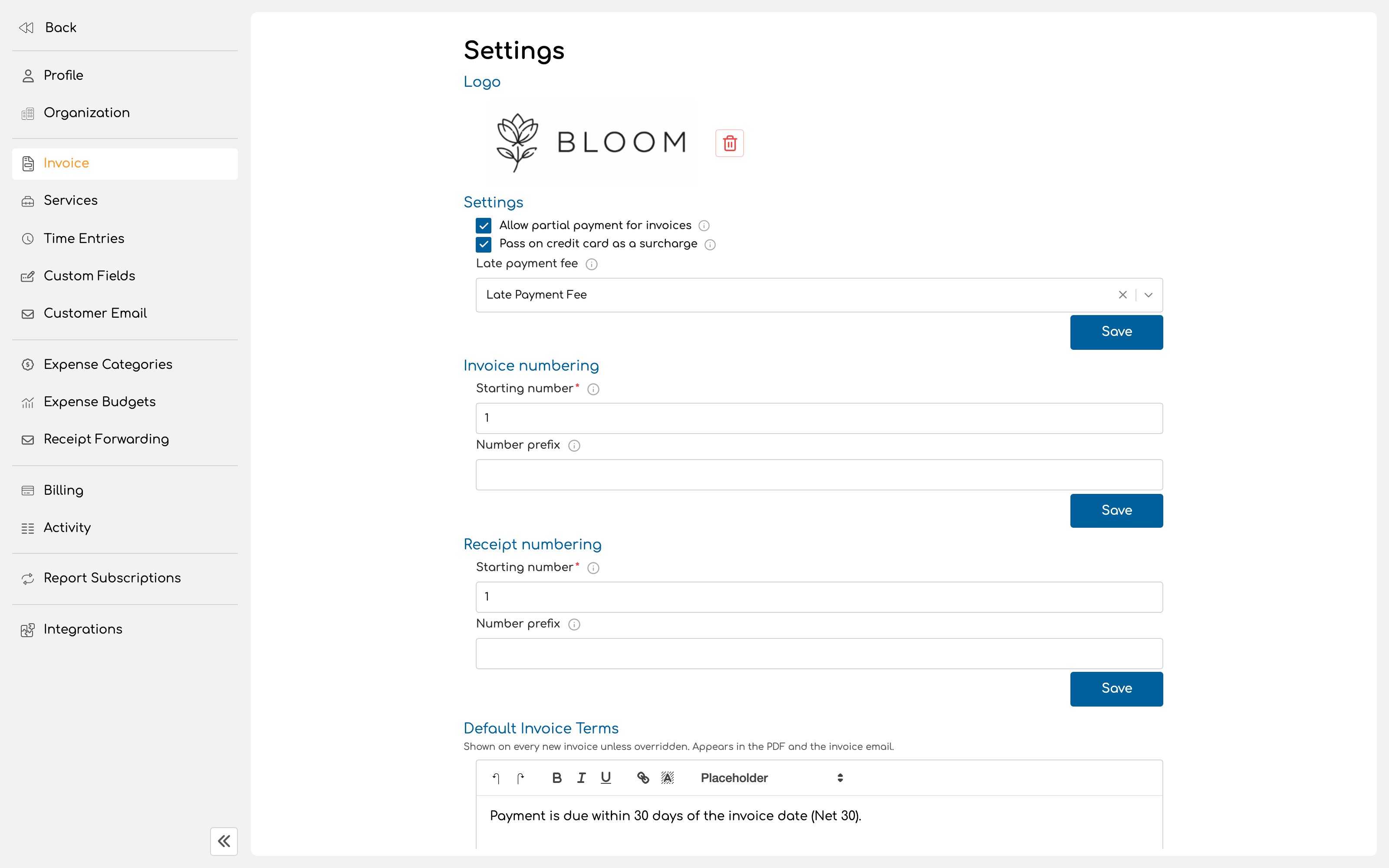
Invoice numbers are built from a prefix and a starting number, and Invup increments from there. A prefix such asINV- or your initials makes invoices easy to identify in a bank statement or a client’s accounts payable system. The starting number matters if you are moving to Invup from another system: set it above your last issued number so that your sequence continues unbroken rather than restarting and colliding with invoices already in the wild.
Receipts are numbered the same way, with their own prefix and starting number.
Default terms
Default invoice terms appear on every new invoice unless that invoice overrides them. They show in both the PDF and the invoice email. This is where your payment terms, accepted payment methods and any standing conditions belong. Write them once here rather than retyping them per invoice, which is how they end up inconsistent.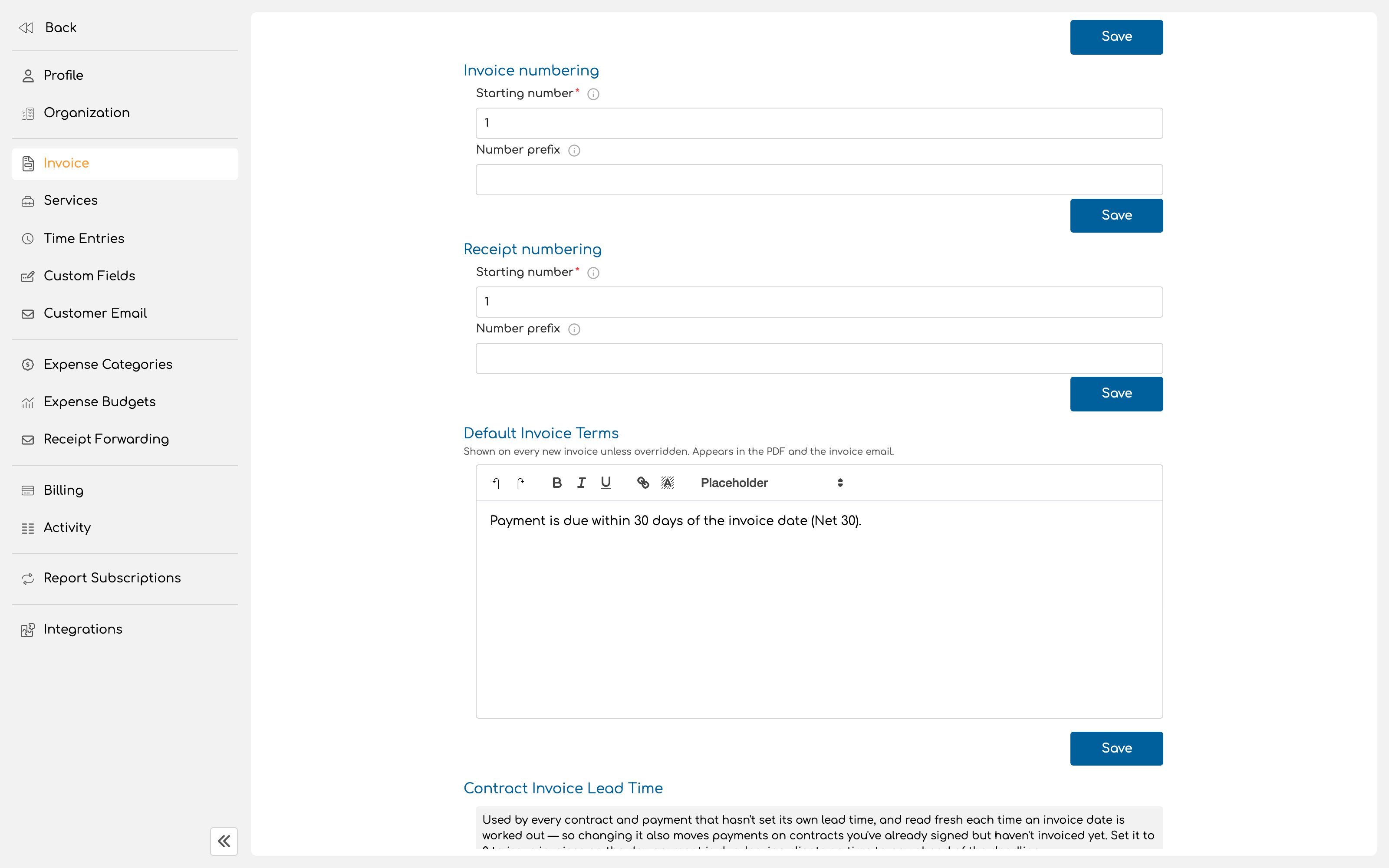
Invoice logo
Invoices carry their own logo, separate from your organization logo. It lets you use a version sized and shaped for a document rather than for the product interface. Your client sees this on the invoice and in the portal. It is one of the few pieces of your branding they will ever encounter.Payment options
Allow partial payment lets a client pay an invoice in instalments rather than in full. Useful for large invoices and staged work, and worth thinking about before enabling it broadly, since it changes what “unpaid” means in your own reporting. Pass on the credit card fee adds your payment processor’s card fee to the invoice total, so the client covers it rather than your business absorbing it. Late payment fee attaches a surcharge for invoices paid after their due date. Like partial payments, this is a commercial decision as much as a configuration one.Reminders
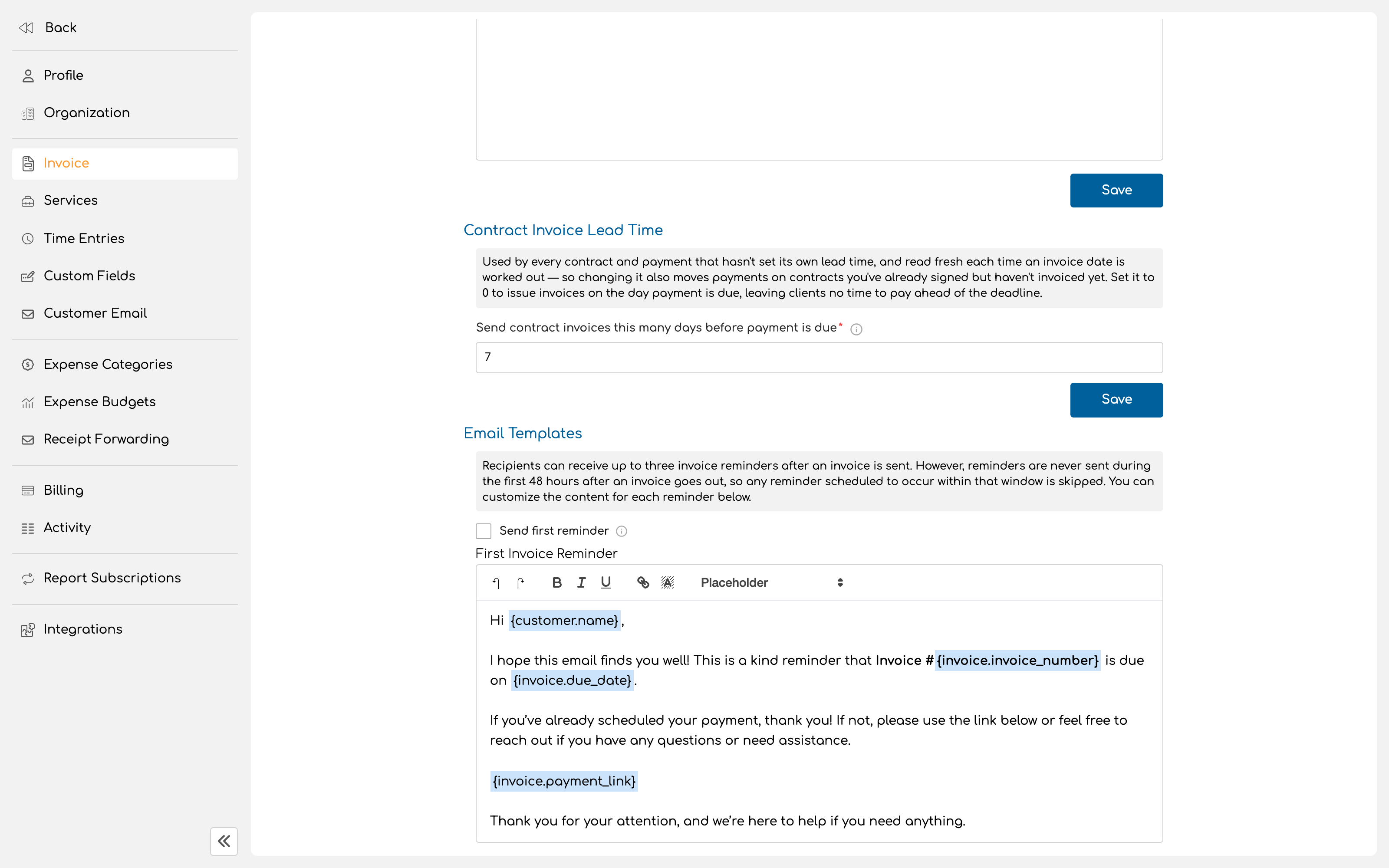
Invup can chase payment for you. Up to three reminders go out before the due date, and an overdue reminder goes out after it.
Each can be switched on or off independently, and each has its own message that you can rewrite.
No reminder is ever sent within the first 48 hours after an invoice goes out. Any reminder that would fall inside that window is skipped rather than delayed. An invoice issued with a short due date may therefore send fewer reminders than you configured.
Contract invoice lead time
If you use contracts with scheduled payments, this sets how many days before a payment is due its invoice should be issued. The default is 7 days, and the accepted range is 0 to 365. Two things about it are worth knowing. It applies to every contract and payment that has not set its own lead time, and it is read fresh each time an invoice date is worked out, which means changing it also moves payments on contracts you have already signed but not yet invoiced. Setting it to 0 issues the invoice on the day payment is due, leaving your client no time to pay ahead of the deadline. That is rarely what anyone intends.Next
Connect Stripe
Let clients pay online.
Quickstart
Send your first invoice.