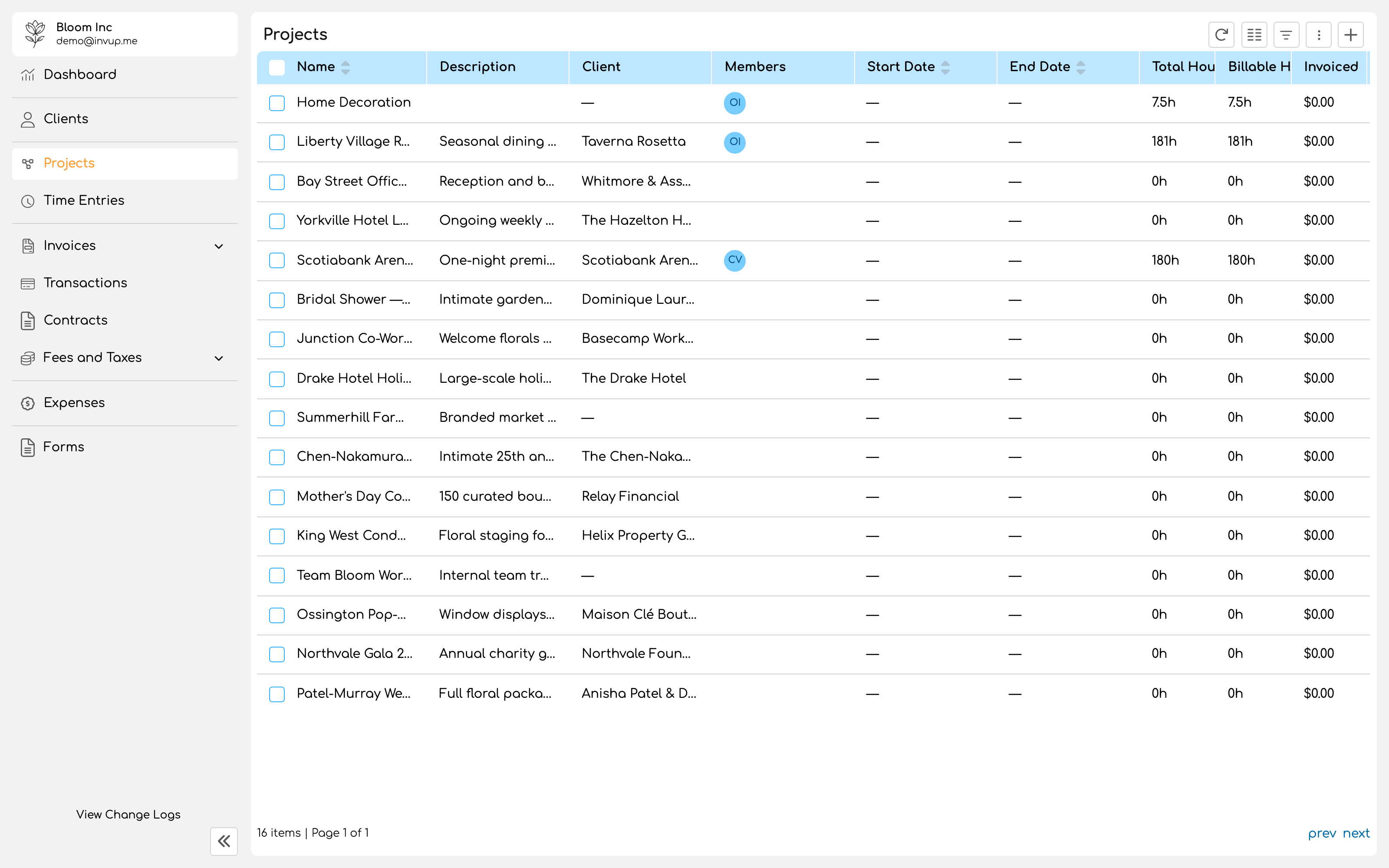
Create a project
1
Name it and pick the client
Use the name the client uses. A case name, a matter number, a campaign, a building, a release.A project belongs to exactly one client. Work for two clients is two projects, even when it feels like one job.
2
Choose the project type
Hourly means you bill for the time spent, and rates drive what the work is worth.Fixed means you have agreed a sum for the whole job. Time is still tracked, because you still want to know what the job cost you, but it is measuring effort rather than setting the price.
3
Set dates and budget
Start and end dates, and an optional budget, are all optional. The budget is what turns the project view into something you can manage against rather than only report on.
4
Decide about services
This is the switch that changes how rates resolve. It is covered below.
5
Add members
Only project members can log time against the project. Adding people is what makes the project appear in their time entry picker.
Services or no services
Enabling services on a project means work logged against it is categorized by type: research, drafting, site visit. Each type can carry its own rate. Leaving services off means work is simply work, at one rate, adjusted per person where needed.Enable services when
Different kinds of work are priced differently, or you need to report on which kind of work consumed the time.
Leave services off when
One rate covers the engagement, and the only variable is who did the work.
With services enabled
Attach the services this project uses from your organization’s library. Each attached service can carry a project specific rate that overrides the service’s base rate. Within a service, you can assign individual members and give each of them their own rate for that service on that project. This is the most specific rate in Invup, and it beats everything else.Without services
Add members directly to the project. Each member can carry a project specific rate. Leave that rate empty and the project’s own hourly rate applies. Leave the project rate empty too and the member’s base rate applies.Watching a project
Once work is being logged, the project view answers the questions worth asking: total hours, billable hours, how much has been invoiced, how much has been paid, and what remains uninvoiced. Uninvoiced billable work is the number to watch. It is revenue you have earned and not yet asked for.Locking a period
Setting a lock date locks every time entry on or before it. Members and contributors can no longer edit or delete those entries. Lock a period once you have billed it. It is what stops a colleague tidying up an old entry that has already gone out on an invoice, and it removes an entire category of discrepancy between what you billed and what your records say. Invup confirms the date before applying it, because the effect reaches backwards across the whole project.Deleting a project
A project holds time entries, expenses and the link to everything you have invoiced for that work. Where an engagement has simply finished, an end date records that more usefully than deletion does, and keeps the history readable.Next
Invoice settings
Numbering, terms, branding and the reminders that chase payment.
Quickstart
Log an hour and turn it into an invoice.